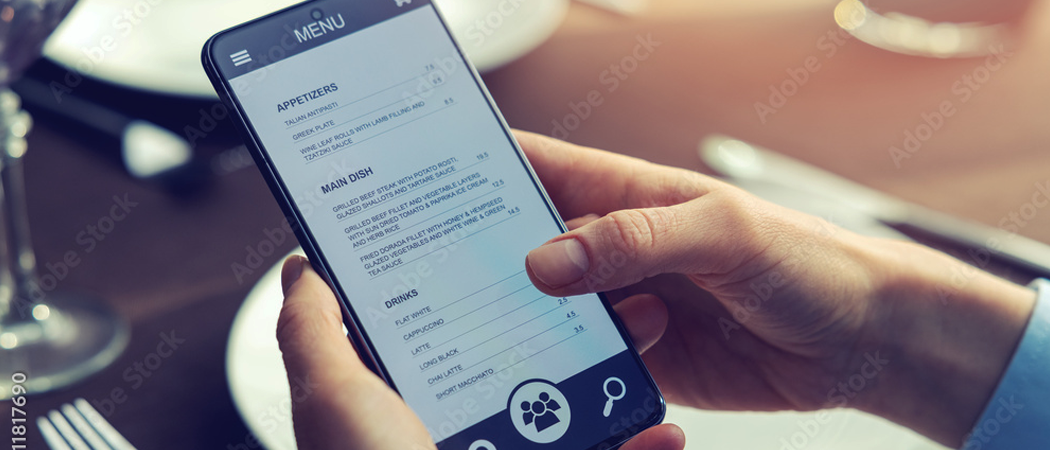
Printed menus have been the standard for decades — but guest expectations have changed. Contactless scanning, reading the menu on a smartphone, ordering directly: this is no longer a trend, it's the standard guests expect. Switching to a digital menu is technically simpler than many operators think. This guide walks you through the process step by step.
Why go digital at all? The starting point
Printed menus have one decisive disadvantage: they're static. Every price adjustment, every new seasonal dish, every allergen labeling update means new printing costs and waiting time. Meanwhile, guests are accustomed to accessing information on their phones in everyday life — from menus to hotel Wi-Fi. Those who miss this shift quickly appear outdated.
A digital menu solves this problem at its root: you update a PDF, and all guests immediately see the current version. No reprinting, no old menus on tables, no half-peeled price stickers.
Step 1: Prepare your existing menu
Before going digital, review your menu content. The following should be on your checklist:
- Complete allergen labeling — mandatory for digital menus just as for printed ones
- Clear category structure — starters, mains, desserts, drinks
- Unambiguous prices — including sizes and units (e.g. 0.2 l vs. 0.4 l)
- Descriptions that sell — two to three sentences per dish is often enough
Save the final version as a PDF. This PDF becomes the foundation of your digital menu — with menuQR, you simply upload it and the system automatically creates an appealing browser view.
Step 2: Generate the QR code
The QR code is the link between your table and the digital menu. Guests scan the code with their smartphone and immediately see the menu in the browser — no app, no download, no registration.
When generating the QR code, one rule applies: once generated, always valid. This means you can have the code printed on table displays, table cards, or menu holders — and it stays permanently current. When you update the menu, the content behind the code changes automatically. The code itself remains unchanged.
Step 3: Place codes in your restaurant
Where should you place the QR codes? Experience shows that multiple approaches work best in parallel:
- Table displays — the most obvious solution, directly in the guest's field of view
- Menu holders — replace the printed menu, no additional element needed
- Counter/entrance — for take-away orders or waiting areas
- Bill folder — guests can scan the menu right after their meal for their next visit
Make sure the code is clearly readable — not too small, high contrast, not hidden behind reflective foil.
Step 4: Guide your guests
Most guests scan QR codes routinely — but there's still a learning curve. Here's how to help your guests get started:
- Brief instruction: "Scan the code with your camera app — the menu opens automatically."
- Information cards on tables, in case staff aren't immediately available
- Train your staff — servers should know the process and be able to help with problems
- Patience: older guests or those without data coverage may need assistance
A quick note when presenting the menu is usually enough: "Our menu is also available digitally — just scan the code on your table." Most guests react positively, often with enthusiasm.
Step 5: Keep your menu current
The biggest advantage of a digital menu is immediacy. Use it. When a price changes, a dish is removed, or a new seasonal menu launches — everything can be updated in minutes. With menuQR, you simply upload the new PDF and the change is instantly live for all guests.
Recommendation: designate one person on your team responsible for maintaining the digital menu. This ensures the menu doesn't gradually become outdated — a problem that arises with printed menus through half-peeled stickers and handwritten notes.
Common concerns — and why they're unfounded
"Our guests are too old for QR codes"
QR codes have been ubiquitous since the pandemic — and built into every smartphone. iOS and Android recognize codes automatically in the camera app. No technical skill beyond scanning a shopping voucher is needed. In practice, guests of all age groups scan without difficulty.
"What about guests without smartphones?"
Digital doesn't mean "digital only." Keep a few printed copies as a fallback — for guests who prefer not to use a smartphone or can't. The combination of digital and printed works and requires no extra effort.
"Data privacy — what gets collected?"
With a proper solution like menuQR, no personal data is collected during scanning. The guest opens a website, views the menu — that's it. No tracking app, no login, no data sharing. GDPR-compliant, hosted on German servers.
Conclusion: The switch is worth it
A digital menu is no longer a vision of the future — it's the current standard guests expect. The technical effort is minimal: upload a PDF, place a QR code, inform your guests. The advantages — more current menus, lower printing costs, more flexible updates — far outweigh the effort. If you approach the switch in small steps and guide your guests, the digital menu quickly becomes a natural part of your restaurant routine.