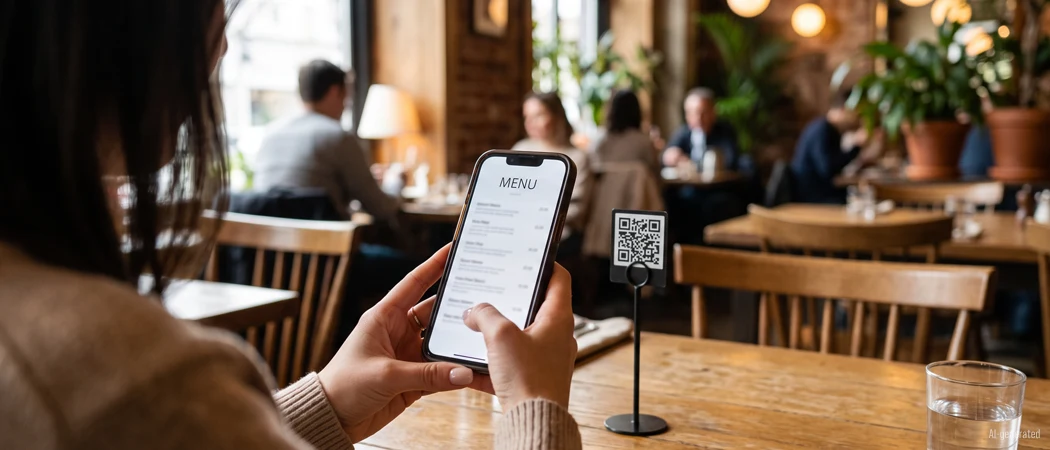
In short: A QR code menu is a web page that adapts to the smartphone — not a PDF, not an app. Guests scan the code on the table and read the menu in their browser. There are three routes: a PDF behind the code, a QR menu platform, or a native app; for most venues the platform is the best compromise.
You've seen the QR codes on restaurant tables, in café windows, and on bar counters — but what exactly is a QR code menu? This guide breaks down the definition, explains how it works, compares the main approaches, and shows you how to create one for free.
What is a QR code menu?
A QR code menu is a digital version of your restaurant menu that guests access by scanning a QR code with their smartphone camera. The menu opens directly in a browser — no app download, no registration, no login. The QR code simply links to a web page that displays your menu.
That's the core idea: a physical QR code on the table connects the guest's phone to a digital menu. The menu itself lives online, so it can be updated, translated, and redesigned at any time without reprinting anything. The QR code stays the same — the content behind it changes whenever you want.
QR code menus became widespread during the pandemic as a contactless alternative to printed menus, but they've since evolved into a permanent standard. Today, restaurants, cafés, bars, food trucks, and hotels worldwide use them — not just for hygiene, but for the flexibility and cost savings they offer.
How does a QR code menu work?
The flow is simple and involves only five steps:
- Upload or create your menu — You upload a PDF of your existing menu or build your menu directly in an online editor, depending on the platform you choose.
- The platform generates a QR code — Once your menu is live, the system creates a QR code that links to it. This code is permanent — it never changes, even if you update the menu.
- Print and place the QR code — You print the code on table displays, menu cards, bill folders, or stickers and place them where guests can easily scan them.
- Guests scan with their phone camera — The guest opens their camera app, points it at the QR code, and taps the notification that appears. On modern smartphones, this works automatically — no QR reader app needed.
- The menu opens in the browser — The guest sees your full menu as a web page. They can scroll, zoom, and (depending on the platform) switch languages or place an order.
The key insight: the QR code is static — it always points to the same URL. But the content behind that URL is dynamic. When you update your menu — a price change, a new seasonal dish, a sold-out item — the change goes live instantly. Guests scanning the same code tomorrow see the new version. You never need to reprint the QR code.
QR code menu vs PDF vs app — which is right for you?
There are three common approaches to digital menus. They differ in flexibility, cost, and guest experience:
| Feature | PDF via QR | QR menu SaaS | Native app |
|---|---|---|---|
| Setup effort | Minimal | Low | High |
| Updates | Re-upload PDF | Instant, in-browser | Via app update |
| Guest experience | PDF viewer | Optimized web page | Rich, but requires install |
| Multi-language | Manual (separate PDFs) | Built-in switching | Built-in |
| Guest must install something | No | No | Yes (app download) |
| Cost | Free to low | Free tier, paid from ~€10/mo | High (development + maintenance) |
Recommendation: For most restaurants, cafés, and bars, a QR menu SaaS is the right choice. It combines the simplicity of a QR code with the flexibility of a dynamic web page — no app to build, no app for guests to install, and updates happen in real time. PDF via QR works as a quick start, but you lose the ability to edit individual items or offer multiple languages easily. A native app is only worth the investment for large chains with specific needs like loyalty programs or in-app ordering at scale.
Benefits of a QR code menu
Switching from printed menus to a QR code menu brings concrete, measurable advantages:
- No printing costs — No more reprinting menus for every price change, seasonal update, or design refresh. The QR code is printed once; the menu content lives online.
- Instant updates — Change a price, mark a dish as sold out, or launch a new seasonal menu in minutes. Every guest scanning the code immediately sees the current version.
- Multi-language — Offer your menu in multiple languages without printing separate versions. Guests switch languages with a tap — ideal for tourist areas and international cities.
- Contactless — Guests access the menu without touching a physical copy. Hygiene-conscious guests appreciate this, and it reduces wear and tear on printed materials.
- GDPR-friendly — When the menu is self-hosted or served from a privacy-compliant platform, no personal data is collected during scanning. No login, no tracking, no data sharing.
For a deeper look at how QR codes benefit restaurants — including guest perception and practical implementation — see our guide on QR codes in restaurants: 5 benefits your guests notice immediately.
How to create a QR code menu for free
Creating a QR code menu is straightforward. Here's the step-by-step process:
- Prepare your menu as a PDF — Start with your existing menu. Make sure it's clean, up-to-date, and properly formatted. Include allergen information, clear prices, and a logical category structure (starters, mains, desserts, drinks).
- Choose a QR menu platform — Several platforms let you create a QR code menu for free. menuQR, oddmenu, and MustHaveMenus are common examples. Compare features, ease of use, and pricing — most offer a free tier that's enough to get started.
- Upload your menu and generate the QR code — Upload your PDF or build your menu in the platform's editor. The system generates a QR code that links to your menu page. Download the QR code as a high-resolution image for printing.
- Print and place the QR codes — Print the QR code on table displays, menu cards, stickers, or bill folders. Make sure the code is large enough to scan easily (at least 2 cm × 2 cm) and has good contrast against the background.
- Update anytime — When your menu changes, simply update it in the platform. The QR code stays the same — guests scanning it see the latest version automatically. No reprinting needed.
Free options exist on virtually every platform and are perfect for a single menu. Paid plans — starting at a few euros per month — unlock additional features like multiple menus (e.g. food, drinks, brunch), seasonal menu sets, custom branding with your logo and colors, and analytics that show how many guests scan your code. See our pricing page for a detailed comparison.
Is a free QR code menu enough?
The honest answer: it depends on your operation. Here's a practical comparison to help you decide.
What you get for free
A free QR code menu plan typically includes:
- One menu (food only, or one combined menu)
- A basic QR code for printing
- Browser-based access for guests — no app needed
- Basic customization (name, contact info)
For a small restaurant, café, or food truck with a single, relatively stable menu, this is often all you need. You get the core benefit — no printing, instant updates — without spending anything.
When to upgrade to a paid plan
A paid plan becomes worthwhile when you need:
- Multiple menus — separate food, drinks, wine, and brunch menus, each with its own QR code
- Seasonal menus — switch between summer, winter, or holiday menus without creating a new account
- Custom branding — your logo, brand colors, and custom domain for a seamless guest experience
- Analytics — see how many guests scan your code, when, and which menu sections they view most
- Priority support — faster response times when something goes wrong
Paid plans start at roughly €10–15 per month — a fraction of what most restaurants spend on printed menus in a single print run. For a deeper guide on making the switch from printed to digital, see our article on introducing a digital menu in your restaurant.
Conclusion: Start in 5 minutes
A QR code menu is exactly what it sounds like: your restaurant menu, accessible via a QR code, displayed in a browser. No app, no download, no registration for your guests. You upload your menu once, print a QR code, and place it on your tables. From that point on, every update — a price change, a new dish, a sold-out item — goes live instantly. The QR code never changes.
If you've been wondering whether a QR code menu is worth it, the answer is straightforward: the setup takes minutes, the cost can be zero, and the benefits — no printing, instant updates, multi-language support, and a modern guest experience — are immediate. Start with a free plan, see how your guests respond, and upgrade when you need more.